
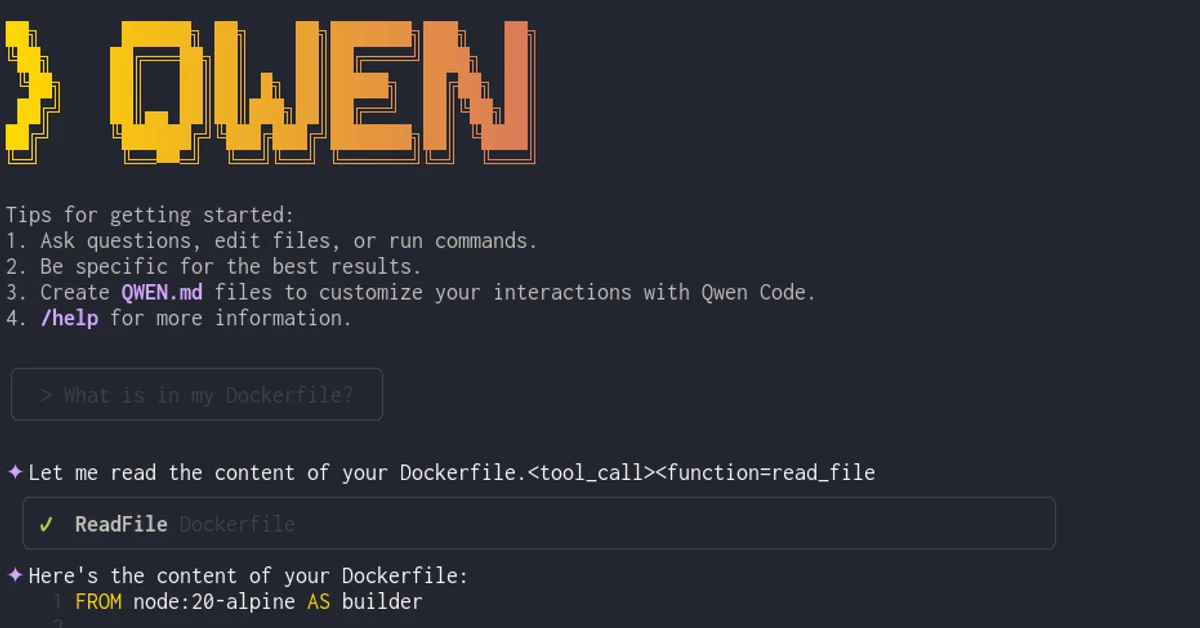
A guide on how to use Qwen3-Coder with Qwen Code and llama.cpp for local development
Using Qwen3-Coder with Qwen Code and llama.cpph1
In this post, we’ll explore how to use Qwen3-Coder with Qwen Code and llama.cpp for local development.
Introduction to Qwen3-Coderh2
Qwen3-Coder is a powerful code generation model developed by Alibaba. It’s designed specifically for coding tasks and can help developers write better code faster.
For the best experience with this model, check out the official Unsloth repository on Hugging Face which provides optimized GGUF files for llama.cpp.
You can also find more information about Qwen3-Coder and its capabilities on the Unsloth Qwen3-Coder page.
Setting up Qwen Codeh2
First, you’ll need to install Qwen Code:
npm install -g @qwen-code/qwen-code@latestOnce installed, you can use it to interact with Qwen models directly from your terminal.
Running Qwen3-Coder with Dockerh2
You can run Qwen3-Coder using Docker for an easier setup experience:
docker run \ --rm \ --shm-size 16g \ --device=nvidia.com/gpu=all \ -v ~/models:/root/.cache/llama.cpp \ -p 8080:8080 \ ghcr.io/ggml-org/llama.cpp:server-cuda \ --hf-repo unsloth/Qwen3-Coder-30B-A3B-Instruct-GGUF \ --hf-file Qwen3-Coder-30B-A3B-Instruct-UD-Q4_K_XL.gguf \ --temp 0.7 \ --min-p 0.0 \ --top-p 0.80 \ --top-k 20 \ --repeat-penalty 1.05 \ --jinja \ --host 0.0.0.0 \ --port 8080 \ -c 32684 \ -ngl 99This command starts a Docker container that runs the llama.cpp server with the Qwen3-Coder model. It maps your local models directory to the container, sets up GPU access for faster inference, and exposes port 8080 for API access.
I’m using the Qwen3-Coder-30B-A3B-Instruct-UD-Q4_K_XL.gguf model because it fits comfortably within the 24GB VRAM of my NVIDIA RTX 4090. This particular model is both very fast and highly accurate for code generation tasks.
Configuring OpenAI Access for Local Inferenceh2
Qwen Code can be configured to use llama.cpp as a local inference engine by setting the following environment variables:
export OPENAI_API_KEY="sk-local"export OPENAI_BASE_URL="http://localhost:8080/v1"export OPENAI_MODEL="unsloth_Qwen3-Coder-30B-A3B-Instruct-GGUF_Qwen3-Coder-30B-A3B-Instruct-UD-Q4_K_XL.gguf"These settings make Qwen Code communicate with your local llama.cpp server using the OpenAI API interface, allowing you to leverage the full power of Qwen3-Coder locally.
Combining Qwen Code and llama.cpph2
You can leverage both tools for different use cases:
- Use Qwen Code for quick interactions and integrations
- Use llama.cpp for local inference when privacy or offline access is required
This combination gives you the flexibility to work in different environments while still having access to powerful code generation capabilities.
Conclusionh2
By combining Qwen3-Coder with Qwen Code and llama.cpp, developers can have a robust toolchain for code generation that works both online and offline. This approach provides flexibility and control over their development workflow.
PS: The reason why you get cut-off tool messages and why it looks kinda wonky (check cover image) is that qwen3-coder comes with a new tool format. Llama.cpp still doesn’t have a qwen3-coder parser for it. Well - it still works great.
PPS: Article was generated with help from Qwen Code + Qwen3-Coder + Llama.cpp :)